
To install eoASSIST, open its listing in the store for your phone. Choose Google Play for Android or the App Store for iPhone. The buttons below lead directly to the app, so you can check the listing without choosing between similarly named search results.
Check the app listing first
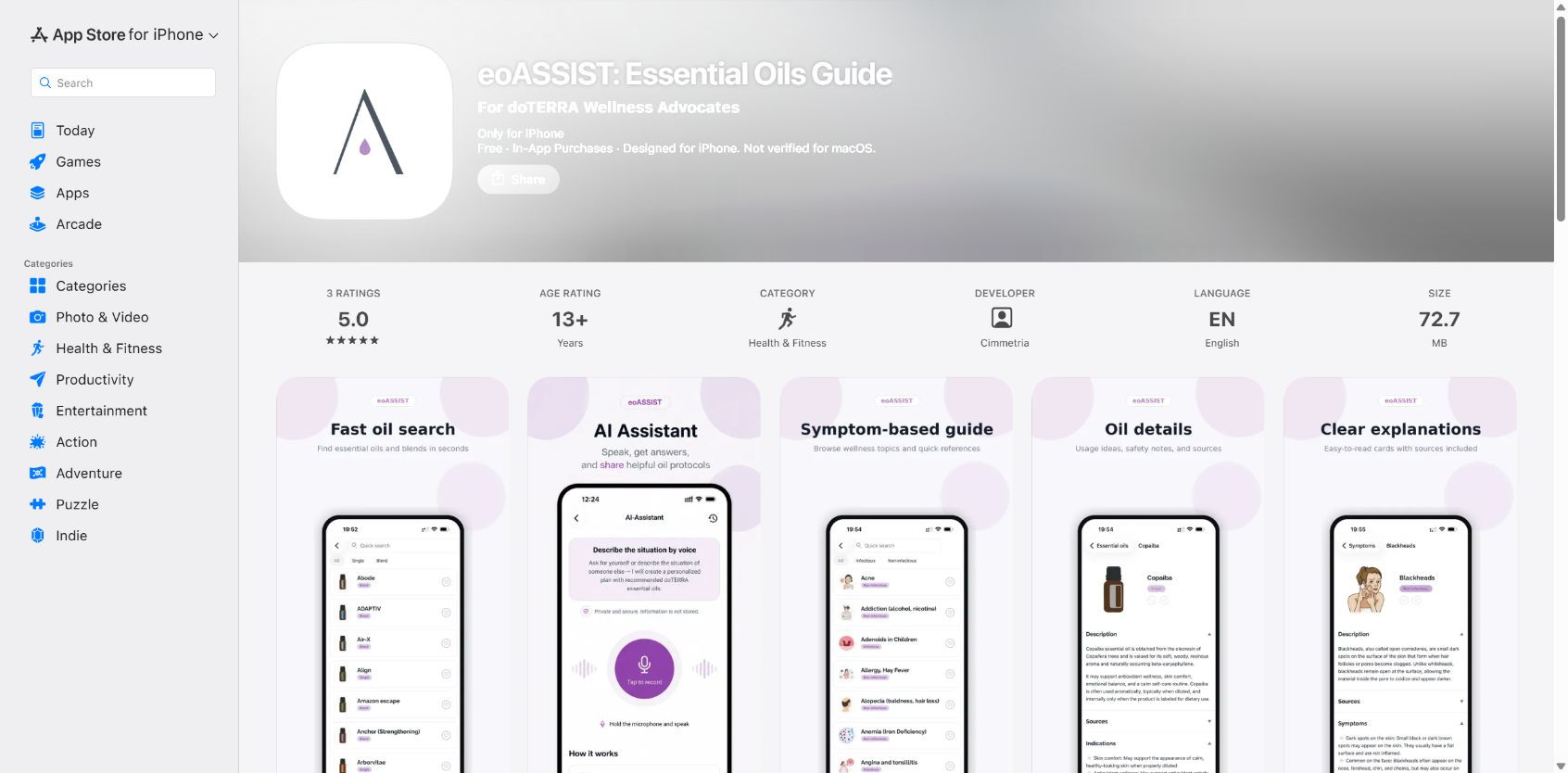
The Google Play listing is named eoASSIST - doTERRA Oils Guide. The App Store listing is eoASSIST: Essential Oils Guide. Both name Cimmetria as the developer. We checked these details on 11 November 2026. Listing names can change, so compare the developer and destination as well as the title.
The cover shows the public English App Store page. It is a store-page screenshot, rather than a screen from our own app installation. The figures and conditions visible in it belong to the check date.
The eoASSIST oil reference
Search for oils by name and open their reference entries.

Install on Android
- Open the Google Play button on your Android phone.
- Check the eoASSIST name and developer Cimmetria.
- Check whether installation is available for your selected device.
- Select Install if the store offers it, then follow the on-screen instructions.
- Open eoASSIST after the download finishes.
If the link opened on a computer, you can reopen this article on your phone. Google Play also supports installing to a linked compatible device through an account. Check which options the store actually offers for your devices.
Install on iPhone
- Open the App Store button on your iPhone.
- Check eoASSIST: Essential Oils Guide and developer Cimmetria.
- Read the listing's compatibility information for your device.
- Use the download control and authenticate if the App Store asks you to.
- Wait for the download to finish, then open eoASSIST.
Store wording varies with language, region and account state. Apple's guidance says that using the App Store requires an internet connection and an Apple Account. This walkthrough does not require changing your account region or installing an app file from another website.
If you cannot see an install button
| What you see | What to check |
|---|---|
| The wrong store opens | Choose Google Play for Android or the App Store for iPhone |
| The store reports incompatibility | The listing's requirements and the selected device |
| The page is unavailable | The exact message, store region and direct listing address |
| The download stops | The store's error message and its download-help page |
For a support request, note your phone model, operating-system version, store and exact error. Keep passwords, verification codes and payment details out of screenshots you share. Identifying the failed step is more useful than reporting only that the app will not download.
A first check after opening the app
The listings disclose in-app purchases. Downloading the app and obtaining access to paid features are separate actions. Read the terms of the particular offer before confirming a purchase in your chosen channel.
Start with the name on one bottle. You can explore the eoASSIST web catalogue beforehand and follow the checked name-search examples. That walkthrough describes the web version. The installed app's layout may differ.
Sources and check date
We checked the official Google Play and App Store listings on 11 November 2026. The download steps follow Google Play Help and Apple's iPhone guide. We did not install the app on a physical phone while preparing this article.
The eoASSIST oil reference
Search for oils by name and open their reference entries.