
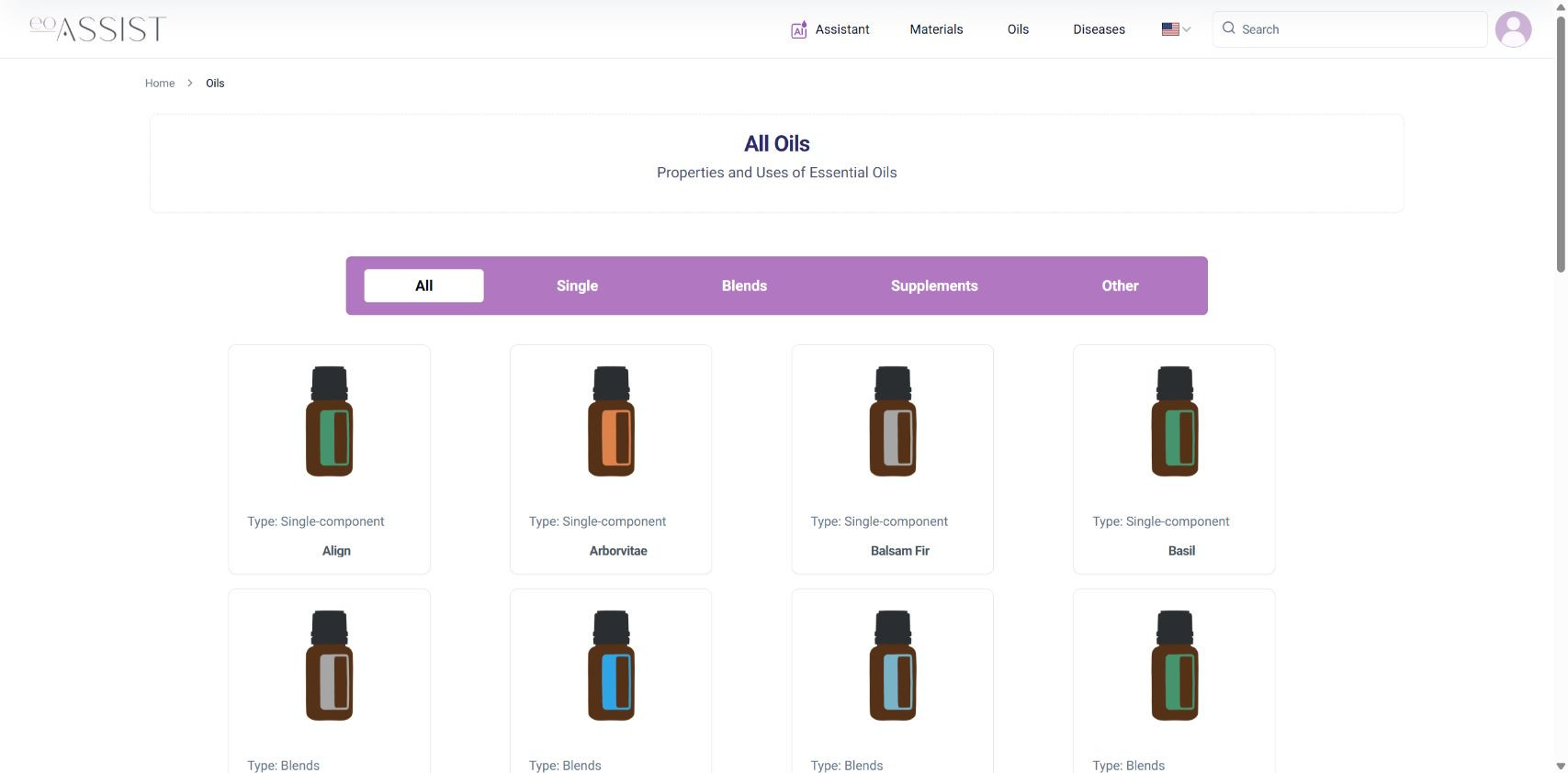
You can start exploring eoASSIST through the public web catalogue. The checked guest session opened the oil list and Lavender entry. The assistant showed a separate sign-in step. This describes one observed route, not free access to every service feature.
What we checked as a guest
On 11 November 2026, we opened the English oil catalogue in Chrome. The user menu offered Sign in. The page displayed categories and entries, and the Lavender entry opened. The equivalent route was checked in Russian.
Selecting AI Assistant displayed "You need to log in or register". We did not register. Post-sign-in access and a subscription purchase were not tested.
The eoASSIST oil reference
Search for oils by name and open their reference entries.

The checked route
| Step | Observed result |
|---|---|
| Open the catalogue | Oil entries and categories are visible |
| Open Lavender | The entry opens in the checked guest session |
| Open the assistant | A sign-in or registration prompt appears |
| After sign-in | Not tested in this check |
Repeat the browsing route
Open the catalogue, choose a language and find a particular name. Compare the botanical identity with your label. Inspect similar results separately. If your intended entry is missing, keep the product name for clarification rather than choosing the closest picture.
An open reference entry does not analyse your batch or provide an individual prescription. Account features may have separate access conditions.
When to choose the app or bot
If you prefer the phone format, use the official store buttons in this article. For Telegram, use the verified bot destination. Website guest access does not establish identical conditions in every channel.
Continue with entry search, preparing an assistant question and app installation.
The eoASSIST oil reference
Search for oils by name and open their reference entries.